Trace Over
Draw Anything: Photo Projector
Trace any picture onto paper. Point your phone at a sheet of paper, and the picture shows over it on the screen: draw along the lines with your pencil.
Coming soon.
A look inside
What's in it
YOUR OWN PICTURES, FREE
Trace a photo from your library, take one with the camera, or paste a picture from anywhere. Turn any photo into pencil lines, with a slider for how much detail to keep. No subscription and no trial.
IT STAYS PUT
Lock, and nothing moves the picture: not your palm, not your pencil. Hold Locked to unlock. On phones that support AR, Lock also pins the picture to the paper, so it stays on the same spot when the phone shifts.
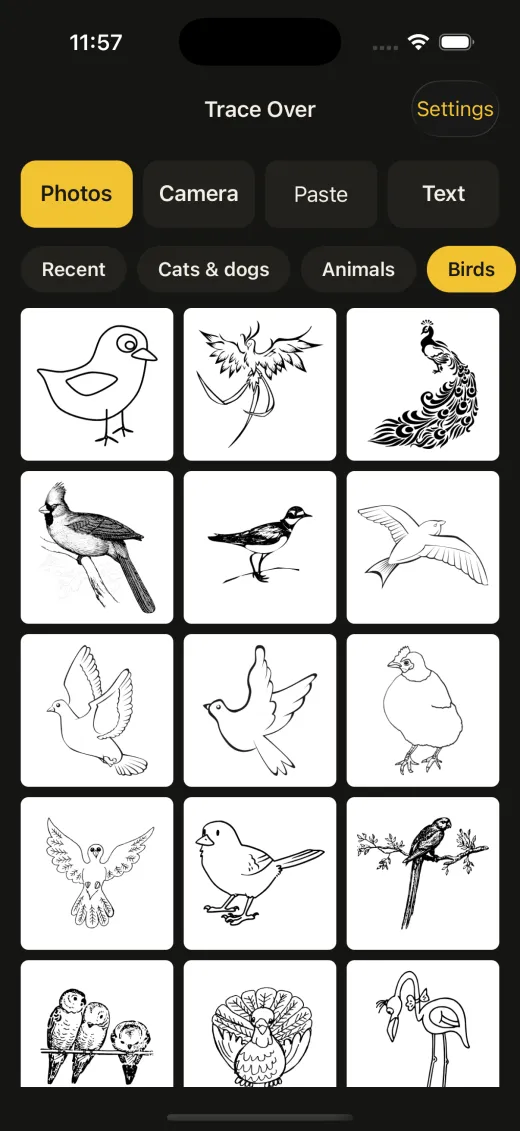
280 DRAWINGS TO TRACE
Cats and dogs, animals, birds, the sea, butterflies, flowers, trees, fantasy, people, food, vehicles, houses, patterns, hearts and space. The first five in each are open; each of the others opens with one short ad and stays open.
STEP BY STEP
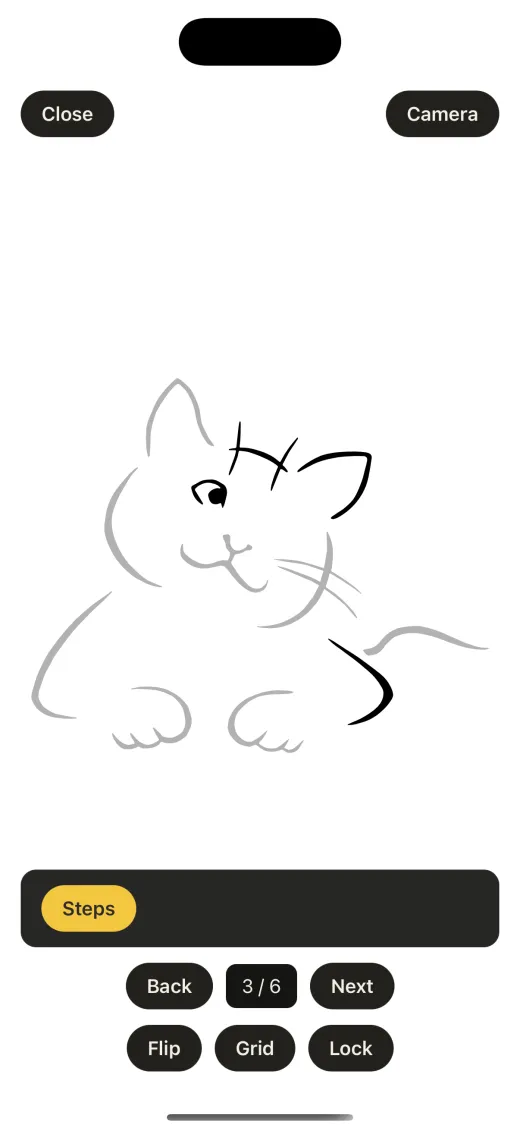
More than half the drawings can show a few lines at a time, with the lines you've already drawn faint, so you build a drawing up the way an artist would.
WORDS AND LETTERING
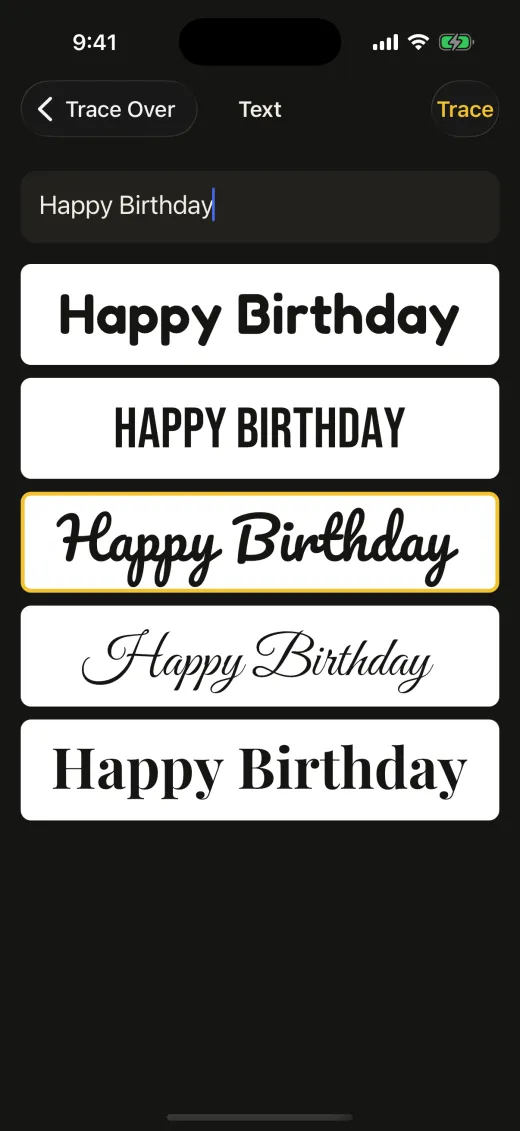
Type a name, a date or a message and trace it in one of five fonts, filled or as outlines: for cards, signs, cakes and walls.
TOOLS
Opacity slider, flash, mirror, and a 3×3, 4×4 or 5×5 grid to copy a picture square by square. No camera stand? Lay thin paper over the screen and trace the picture lit from below.
TIME-LAPSE AND PHOTOS
While the picture is pinned, record a time-lapse of your drawing to save or share, and keep photos of what you've drawn in the app.
Works offline, with no account. Free with ads, or remove them once with a single purchase that also opens every drawing.
Help & support
Need help, found a bug or have an idea? Tap Settings → Help & feedback in the app, or email us and we will get back to you.
Bought “Remove ads” and still see ads? Open Settings in the app and tap Restore purchase, signed in with the same Apple or Google account you bought it with.